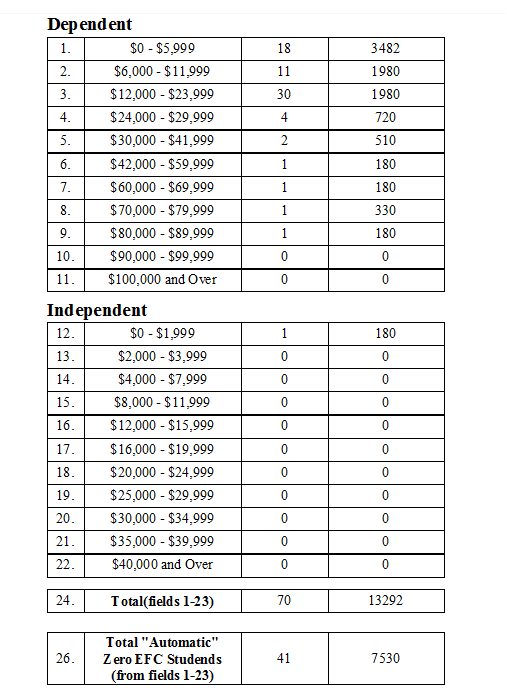
FISA Report

+1 vote
491 views
asked Sep 1, 2015 in Reports by Admin
Added New Report

1 Answer

answered Sep 1, 2015 by Admin
 
Best answer

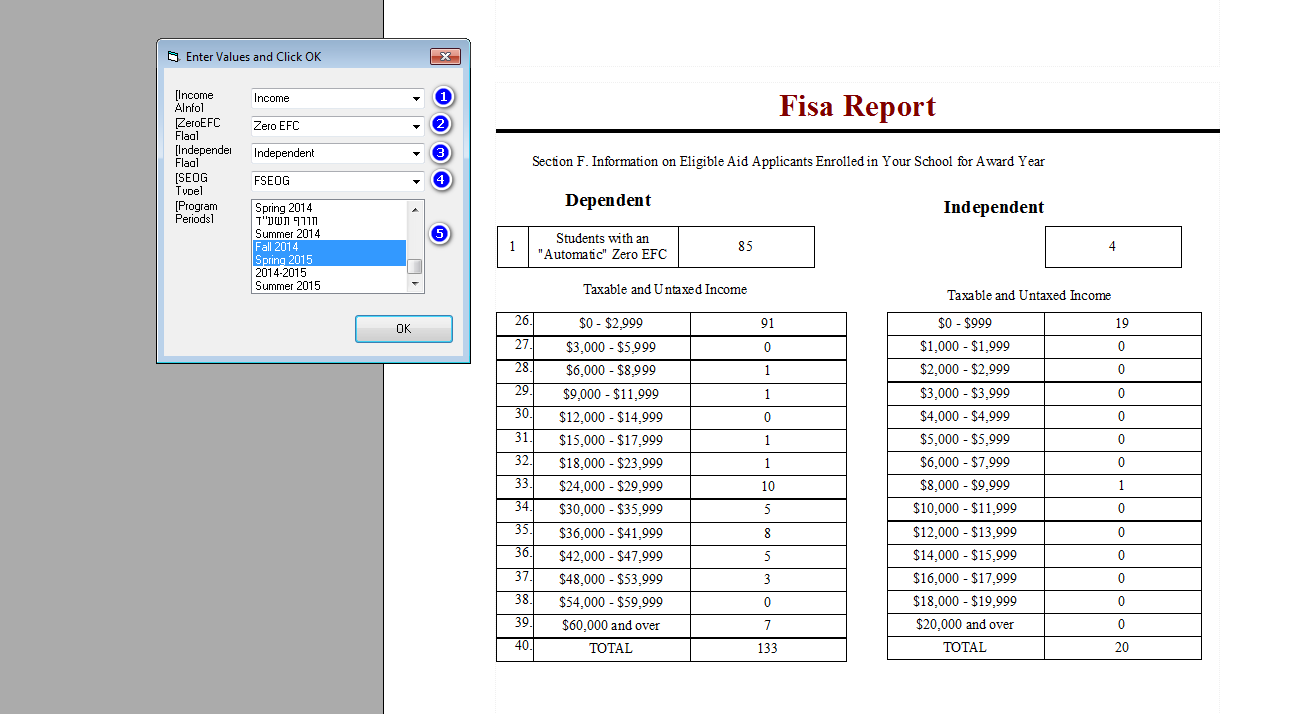
You need to enter the following info to get the report.

1) Additional Info on the account with the amount of income. Choose the name of the additional info in the first drop-down.

2) A family flag for people that are Auto Zero EFC. Choose the name of the flag in the second drop-down.

3) A student flag for student that are independent. Choose the name of the flag in the third drop-down.

4) Choose the type of payment used for SEOG payments. Also enter the Start and End date on top of the screen to include payments received in the date range.

5) Choose the program periods of the students that need to be included in this report.


This should give you these two pages.


commented Sep 1, 2015 by Pinkus
it should be called FISAP not FISA

ty

Let's Welcome our New Members

  • Mrs. Silberstein of Bais Brocho High School - Dec 07, 2025

  • berger1 of talmud Torah Ohr Moshe - Dec 05, 2025

  • Yosef96 of Mill Basin Yeshiva - Dec 04, 2025

  • mindywind of Bais Leah High School - Dec 04, 2025

  • DS of Ner Yisroel - Dec 04, 2025

  • MordechaiAharonbayev of Yeshiva Ohr Yitzchok - Dec 03, 2025

  • ycohen of Imras Bais Yaakov - Dec 01, 2025

  • Engelberg of Yeshiva Imrei Chaim Viznitz - Dec 01, 2025

  • saulkatz of the cheder - Nov 28, 2025

  • C. Kohl of Yeshiva Avir YAkov - Nov 27, 2025

...