Added (10/15/2020)
Only an admin can change this option!
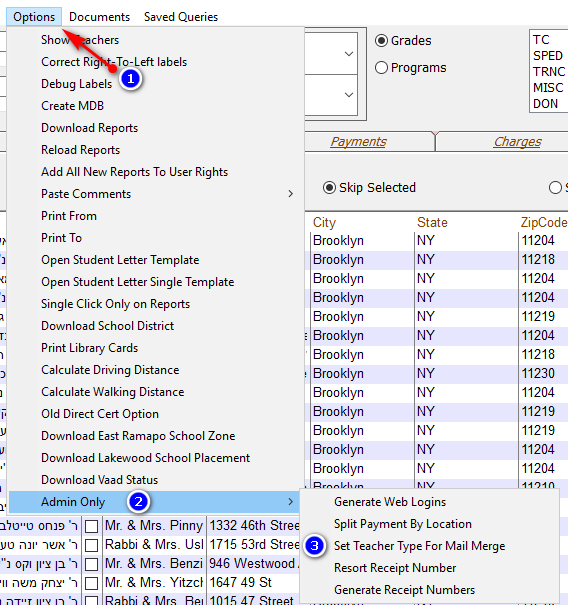
Only an admin can change this option!
It will then ask you to put in the type for each kind of teacher.
HebrewTeacher = The Teacher of the students "Hebrew Class" - The system uses the name put by the Staff Name
HebrewTeacherHebrew = The Hebrew Name of the Teacher of the students "Hebrew Class" - The system uses the teachers account
EnglishTeacher = The Teacher of the students "English Class" - The system uses the name put by the Staff Name
The following options only show when "Programs" is selected in the reports screen
ProgramTeacher = The Teacher of the students in the selected program - The system uses the name put by the Staff Name
ProgramTeacherHebrew = The Teacher of the students in the selected program - The system uses the teachers account
If you want to leave it as default just press "OK"
