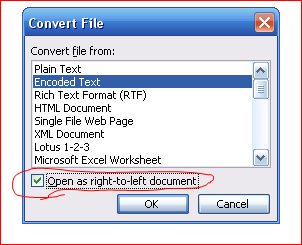
To correct before creating labels click on the menu "Options" and select "Correct Right to-Left Labels". Then just create the mail merge. A dialog will pop up like below. You need to and de-select the option "Open as Right-to-left document". There should be no check box there. Then press OK. If it wasn't checked in and you still have flipped or wrong spacing in addresses proceed to step 2.
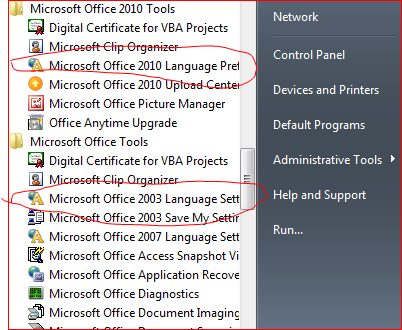
If the above option did not help, you will need to reset the office language option to English. To find the Microsoft Office Language Settings go to the start menu and look under all programs. Under the Microsoft Office folder you should see Microsoft Office Tools folder. Click in to that folder and select Microsoft Office (2003/2007/2010/2013) Language setting.
Now change the default language to English. If it was already set to english change to hebrew. Save and re-open and switch back to english.
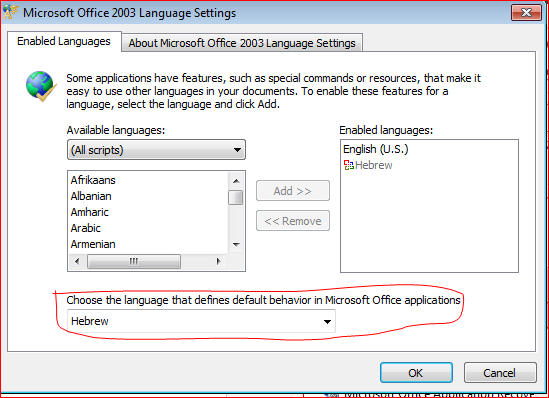
Office 2003 Language setting dialog.
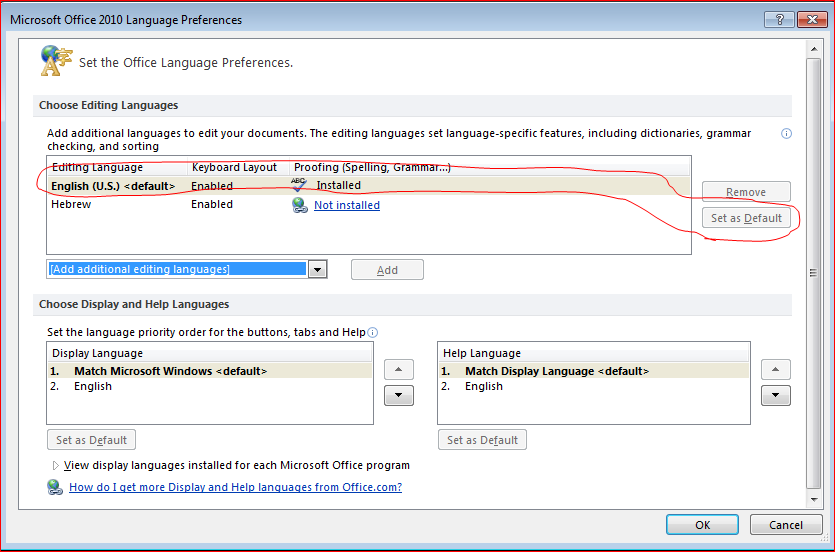
Office 2010 Language Setting dialog.
